Microsoft Power Apps, code app variant
AI KSeF Invoice Workflow for Power Platform Code
The invoice workflow app “KMC Invoice Approval” as a code app for Microsoft Power Apps (React/Fluent) on Microsoft Dataverse — entirely in your company's environment, on the same tables as the model-driven variant.
Microsoft Power Apps · Microsoft Dataverse · React/Fluent · server-side logic
- For companies on Microsoft 365
- Data in Microsoft Dataverse
- React/Fluent interface
- Works without AI too
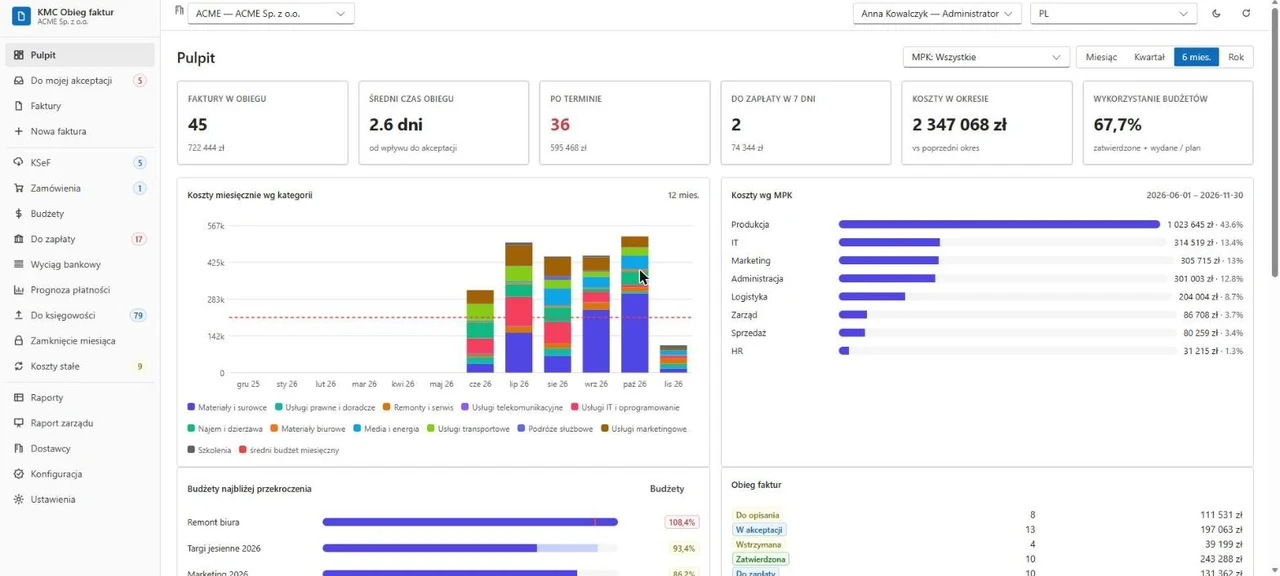
A code app on Microsoft Dataverse
The same interface as the cloud variants, placed in the Microsoft environment on Microsoft Dataverse tables.
React/Fluent interface
A Microsoft Power Apps code app — the same look as the cloud variants, in the Microsoft 365 environment.
Your data stays with you
It runs entirely in your Microsoft Dataverse environment; the app does not send data to the publisher.
Logic on the server
Multiple companies, an append-only journal and protection of a closed period are guarded on the server side.
AI and KSeF on your own keys
AI suggests coding and possible duplicates, KSeF fetches invoices — with the customer's keys. It works without AI too.
The whole invoice workflow on one screen
Costs, invoices in the workflow, due dates and budgets near their limit — right after sign-in, for one company or for several.
- What needs attention: to approve, from KSeF to describe, to pay and overdue — in view.
- Money under control: how much to pay in the coming days and which budgets are closest to being exceeded.
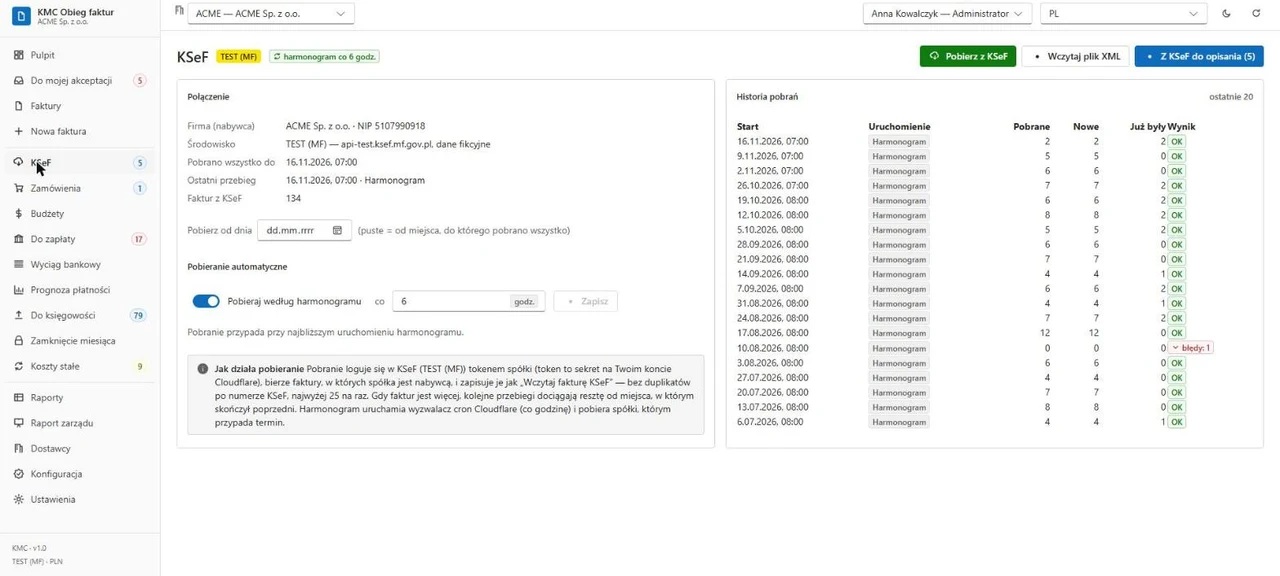
Invoices fetched from KSeF on a schedule
The app signs in to KSeF with the company's token and fetches invoices on a schedule, recording the history of every run.
- Less retyping: number, vendor, amounts and due date are read from the invoice; duplicates are recognised.
- No gaps: the limit of invoices per run does not lose data — the next runs fetch the rest.
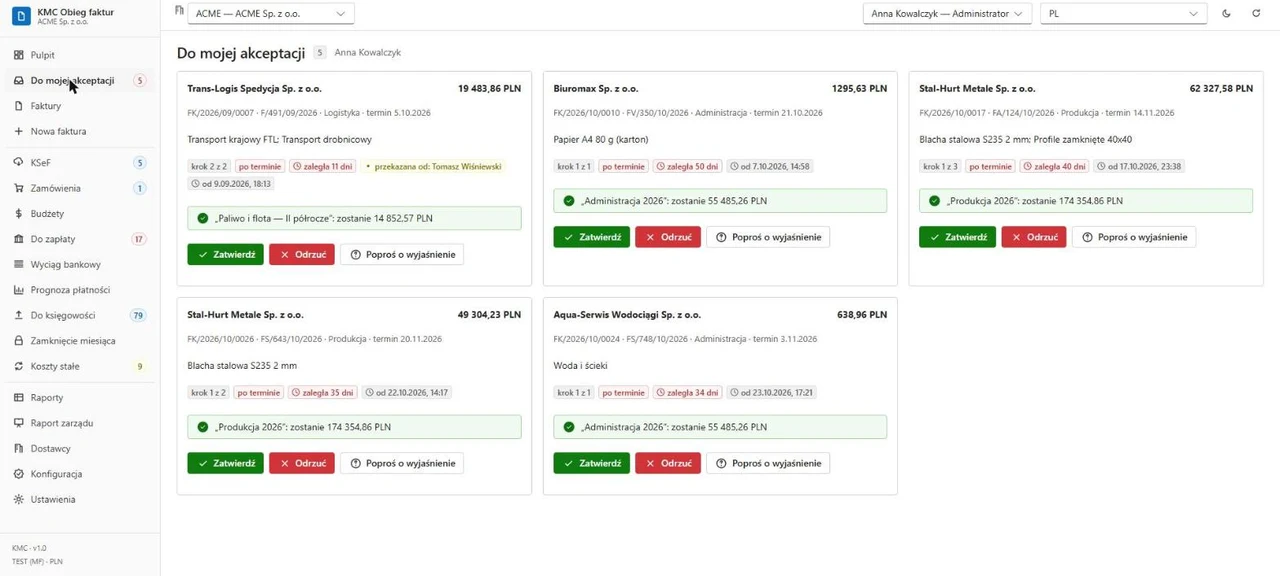
Approval by your rules
Every invoice waiting for a decision is a card with the path step, the due date and the effect on the budget. You approve, reject or ask for an explanation.
- The context is visible: the path step, who passed it on, how many days overdue and whether the invoice exceeds the budget.
- Rules keep watch: exceeding a budget adds a step, and the person who registers an invoice does not approve it.
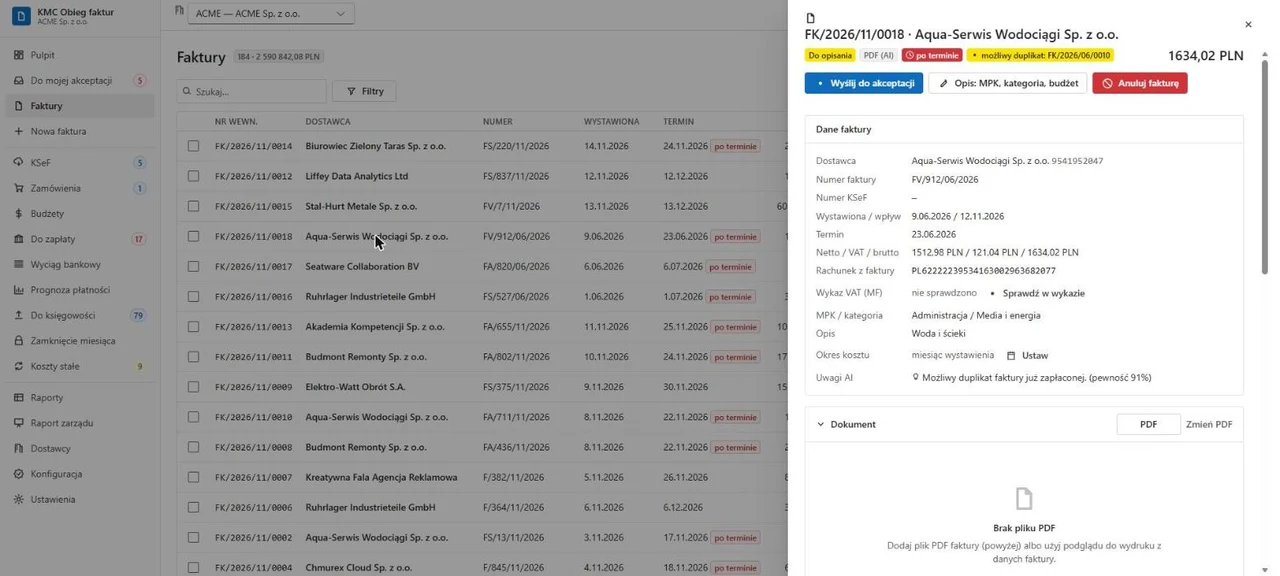
AI suggests — you approve
On the invoice card AI suggests coding, reads data from the PDF and marks possible duplicates. The decision is still made by a person.
- Reading from PDF: fields loaded from the document, with information about confidence and what to verify.
- Under control: AI proposes, a person decides; you check the VAT list with one click.
Would you like this variant in your company?
The code variant requires a Microsoft Power Apps Premium licence and a managed Microsoft Dataverse environment. Write to me — I will help you get it running.
Frequently asked questions
How does it differ from the Model Driven variant?
It is the same process on the same Microsoft Dataverse tables. Code is a React/Fluent app (the same interface as the cloud variants); model-driven draws the interface through the platform in the language of the environment.
What do I need?
A Microsoft Power Apps Premium licence per user and a managed Microsoft Dataverse environment. The AI assistant and the KSeF connection are optional and use your own keys.
Where is my data?
In your Microsoft Dataverse environment. The app does not send data to the publisher; you configure and control the AI keys and the KSeF token yourself.
Do I need an AI key?
No. The app works in full without AI. AI only suggests coding and possible duplicates — every decision belongs to a person.